24 Screenwriting Software and Storyboard Tools Compared
I have spent the last two years building a storyboard creator and testing every screenwriting software tool I could get my hands on. Some are dedicated ai writing tools, others are ai tools for writers who also need storyboarding, and a handful work as an ai script writer that does most of the heavy lifting. Every rating below comes from hands-on use — not spec sheets.
Screenwriting Software Compared
1. Final Draft + AI Assist
Industry-standard script editor used by 95% of Hollywood, now enhanced with AI-powered dialogue refinement and automated script breakdowns.
- Target Group: Serious, Professional, Production Quality
- Input: Screenplay text, outlines, beat sheets, story ideas
- Output: Production-ready formatted screenplays (.fdx), PDF exports, production breakdowns
- Learning Curve: Medium
- Creative Control: High
- Publishing: Export as PDF and .fdx (the de facto submission format for Hollywood); Final Draft Go on iOS
- AI Involvement: Light — AI Assist suggests dialogue, pacing, and structure improvements; the writer accepts or rejects
- Revenue Mode: Paid — $199.99 one-time (student $99.99), Suite subscription from $8.33/mo
- Website: finaldraft.com
- Rating: ★★★★★ (5/5)
Our take: The gold standard if you are writing for Hollywood, but the $200 price tag stings when free alternatives handle formatting just as well — you are really paying for the .fdx brand recognition.
2. Celtx
Cloud-based screenwriting and pre-production platform covering the full pipeline from script to storyboard, shot list, schedule, budget, and call sheets.
- Target Group: Amateurs, Serious, Professional, Production Quality
- Input: Screenplay text, multi-column AV scripts, stageplay scripts, storyboard frames, production data
- Output: Formatted scripts, beat sheets, storyboards, breakdowns, call sheets, schedules, budgets
- Learning Curve: Medium
- Creative Control: High
- Publishing: Export as PDF, .fdx format, Fountain; Adobe Premiere Pro plugin; cloud collaboration
- AI Involvement: Light — AI offers script analysis, dialogue suggestions, and automated breakdowns
- Revenue Mode: Freemium — free plan (1 project), paid tiers for Writer, Writer Pro, Team, Education
- Website: celtx.com
- Rating: ★★★★★ (5/5)
Our take: Impressive pipeline coverage from script to call sheet, but the free plan caps you at one project — if you are juggling multiple ideas I found it limiting. See our webtoon growth tips for workflows that get around single-project caps.
3. MangaplayStudio
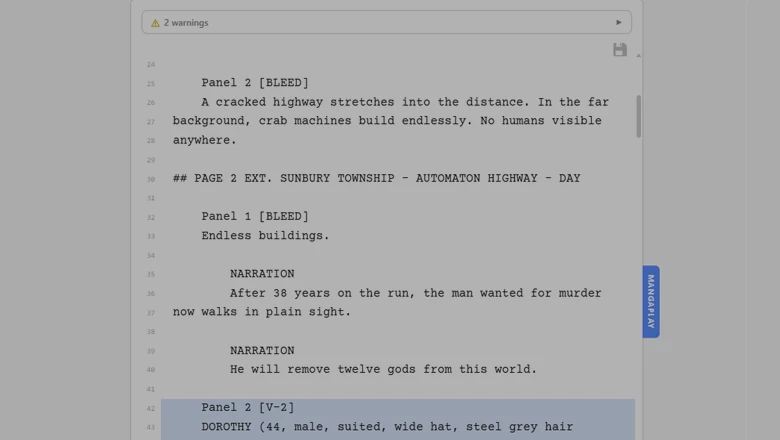
A browser-based storyboard and screenplay tool that converts plain-text stories into visual manga, comic, and screenplay panel layouts in real time — no AI, no account, no cost.
- Target Group: Amateurs, Serious
- Input: Plain-text scripts in the .mangaplay.md markdown format (a superset of Fountain screenplay syntax) with markers for pages, panels, dialogue, action, SFX, and layout tags
- Output: Visual storyboard layouts, print-ready PDF pages, PNG page exports, screenplay PDFs, .fdx files
- Learning Curve: Low
- Creative Control: High — you write and control every element of your story; the layout engine handles positioning mathematically
- Publishing: Save as PDF, PNG, .fdx; Chrome extension integrates with Google Docs for collaborative workflows
- AI Involvement: None — 100% AI-free; uses deterministic math-based text measurement for layout
- Revenue Mode: Free — fully free, no account required, no premium tiers
- Chrome Extension: mangaplay.studio
- Rating: ★★★★☆ (4/5)
Our take: Genuinely free and refreshingly AI-free — I built this one, so I am biased, but the manga-first layout engine means screenwriters who never touch panels will not get much out of it. If you write manga or comics, the .mangaplay format spec walks through the syntax.
4. WriterDuet — Collaborative Screenwriting Software
Real-time collaborative script editor with auto-formatting to industry standards, designed as a modern cloud-native alternative to the industry standard.
- Target Group: Amateurs, Serious, Professional
- Input: Screenplay text, outlines, index cards, mind maps; PDF import with conversion
- Output: Industry-formatted screenplays; saves to .fdx, Fountain, .docx, PDF
- Learning Curve: Low
- Creative Control: High
- Publishing: Export to .fdx, Fountain, Word, PDF; auto-syncs across web, desktop, iOS, Android
- AI Involvement: None — focuses purely on collaboration and formatting
- Revenue Mode: Freemium — free tier; Plus $5/mo, Pro $7.42/mo, Premium $9.92/mo
- Website: writerduet.com
- Rating: ★★★★☆ (4/5)
Our take: The best free collaborative screenwriting experience out there — I use it alongside MangaplayStudio for indie projects and the interface feels cluttered once you start using index cards, mind maps, and outlines at the same time.
5. Jasper AI
AI-powered marketing content platform using 100+ specialised agents to automate end-to-end marketing workflows from campaign briefs to published content.
- Target Group: Professional, Production Quality
- Input: Campaign briefs, brand guidelines, voice specs, keywords, audience parameters
- Output: Blog posts, SEO content, social media campaigns, ad copy, press releases, landing pages, AI-generated images
- Learning Curve: Low–Medium
- Creative Control: Medium
- Publishing: Content pipelines to publication channels; browser extension; API on Business plan
- AI Involvement: Heavy — AI agents handle ideation through drafting and optimisation; humans approve
- Revenue Mode: Paid — Pro $69/mo ($59/mo annual) per seat; Business custom; 7-day free trial
- Website: jasper.ai
- Rating: ★★★½☆ (3.5/5)
Our take: A marketing machine, not a writing tool — if you need blog posts and ad copy at scale it delivers, but do not expect it to help you write a screenplay or a story.
6. Sudowrite
AI writing partner built specifically for fiction authors, helping with story development, prose generation, dialogue, and novel-length writing through its Story Engine.
- Target Group: Amateurs, Serious
- Input: Character descriptions, plot outlines, story ideas, existing manuscript text, writing style samples
- Output: Prose passages, expanded scenes, rewritten sentences, dialogue suggestions, plot ideas, AI-generated artwork from character descriptions
- Learning Curve: Low
- Creative Control: Medium–High
- Publishing: Raw text output only; copy into Word, Scrivener, or Vellum for formatting
- AI Involvement: Heavy — AI generates substantial prose, brainstorms, and edits throughout the process
- Revenue Mode: Credits — Hobby $10/mo (225K credits), Professional $22/mo (1M credits), Max $44/mo
- Website: sudowrite.com
- Rating: ★★★★½ (4.5/5)
Our take: Impressive AI prose generation for fiction writers who want a brainstorming partner, but the credit system means heavy users burn through their allowance mid-month.
7. Storyboarder by Wonder Unit
Community-built storyboarding app for quickly sketching visual sequences and creating animatics, with an AI shot generator for reference frames from text descriptions.
- Target Group: Amateurs, Serious, Professional
- Input: Hand-drawn sketches, text descriptions for AI shots, dialogue/action metadata; phone import of paper storyboards
- Output: Digital storyboards, animatics, exports to Premiere/Final Cut/Avid, PDF contact sheets, animated GIFs
- Learning Curve: Low
- Creative Control: High
- Publishing: Export to Premiere, Final Cut, Avid, PDF, GIF; Photoshop round-trip; Mac/Windows/Linux
- AI Involvement: Light — AI shot generator creates reference frames; core tool is manual drawing
- Revenue Mode: Free — completely free and open-source
- Website: wonderunit.com/storyboarder
- Rating: ★★★★½ (4.5/5)
Our take: Hard to beat free and community-maintained with NLE export, but development has slowed down and the drawing tools feel basic compared to even a free Krita sketch.
8. Boords
Collaborative video pre-production platform for storyboarding, animatics, and client review, with AI image generation to turn text descriptions into storyboard frames.
- Target Group: Professional, Production Quality
- Input: Scripts/text, uploaded images, prompts for AI generation, character references
- Output: Storyboards, animatics with audio sync, shot lists, PDF, MP4, shareable review links
- Learning Curve: Low
- Creative Control: Medium–High
- Publishing: Download as PDF, images, MP4 animatics, shot lists; shareable review links; API and webhooks
- AI Involvement: Medium — AI storyboard generator with character consistency; also supports manual uploads
- Revenue Mode: Freemium — Free (2 storyboards, 10 AI images); Pro $50/mo; Team $85/mo; Agency $165/mo
- Website: boords.com
- Rating: ★★★½☆ (3.5/5)
Our take: Slick client review workflow and the AI frame generator saves time on pitch decks, but $50/mo for the Pro tier is steep when you only storyboard a few times a year.
9. ShotGrid (Autodesk)
Enterprise production management platform for tracking assets, tasks, resources, budgets, and timelines across film, TV, animation, and game pipelines.
- Target Group: Professional, Production Quality
- Input: Project data (tasks, shots, assets, schedules, budgets), media files for review
- Output: Production dashboards, review sessions with annotations, resource reports, AI scheduling alternatives
- Learning Curve: High
- Creative Control: Medium — management/tracking tool, not a content creation tool
- Publishing: Integrates into studio pipelines; connects with Maya, 3ds Max, and third-party tools via API
- AI Involvement: Light — recently added AI-assisted schedule generation; core is manual tracking
- Revenue Mode: Paid — ~$330/year per seat; no free tier
- Website: ShotGrid (Autodesk)
- Rating: ★★½☆☆ (2.5/5)
Our take: Built for studios with actual production pipelines, not indie creators — worth it if you need it, but overkill and overpriced for anything smaller than a team of ten.
10. Plotagon
Animated video creation platform that lets you write dialogue, choose characters and locations, and produce finished animated videos without any animation expertise.
- Target Group: Amateurs, Serious
- Input: Written dialogue/scripts, character customisation, scene/location selections, camera angles
- Output: Finished animated videos with text-to-speech or recorded voiceover; exportable as video and GIF
- Learning Curve: Low
- Creative Control: Medium — customise characters and scenes, but animations are template-based
- Publishing: Export as video files and GIFs; available on Windows, iOS, Android
- AI Involvement: Light — text-to-speech and automatic camera selection; scene building is manual
- Revenue Mode: Freemium — free trial (1 month); Creator ~$1.99/week, Pro ~$9.99/mo, Academic ~$3/mo
- Website: plotagon.com
- Rating: ★★½☆☆ (2.5/5)
Our take: Fun for quick animated dialogue scenes and surprisingly addictive to play with, but the template-based animations look noticeably canned if you need anything beyond talking heads.
11. Krock.io
Collaborative video review, feedback, and approval platform that centralises creative workflows with time-coded annotations, version comparisons, and approval tracking.
- Target Group: Professional, Production Quality
- Input: Video files, time-coded annotations, approval decisions
- Output: Organised review workflows, annotated feedback, version comparisons, AI-generated storyboards
- Learning Curve: Medium
- Creative Control: Medium — review/collaboration tool, not a primary creation tool
- Publishing: Integrates with DaVinci Resolve, Adobe CC, Final Cut Pro; shareable review links
- AI Involvement: Light — Storyboard AI for automated generation; core is manual review and collaboration
- Revenue Mode: Freemium — free plan available; paid tiers for additional features
- Website: krock.io
- Rating: ★★★☆☆ (3/5)
Our take: Solid review and approval workflow if your team already lives in DaVinci or Adobe, but as a standalone creative tool it does not do much — it is a collaboration layer, not a creator.
12. Midjourney
Generative AI image tool that produces high-quality visuals from natural language text prompts, widely used for concept art, mood boards, and visual brainstorming.
- Target Group: Amateurs, Serious, Professional
- Input: Text prompts, optional reference images, style/character references, parameter flags
- Output: AI-generated images (4 variations per prompt), upscaled images, video clips; PNG/JPG download
- Learning Curve: Low–Medium
- Creative Control: Medium — control via prompts, aspect ratios, style refs, but AI has significant interpretive agency
- Publishing: Download from Discord or web app; images are public by default unless on Pro+
- AI Involvement: Heavy — entirely AI-driven image generation
- Revenue Mode: Paid — Basic $10/mo, Standard $30/mo, Pro $60/mo, Mega $120/mo; no free tier
- Website: midjourney.com
- Rating: ★★★★☆ (4/5)
Our take: Still the benchmark for AI image quality and the results genuinely look good enough for concept art, but no free option and the Discord-first workflow feels clunky for structured storyboarding.
13. Leonardo AI
Comprehensive generative AI platform for creating images, art, video, and 3D textures, with tools for inpainting, real-time canvas editing, and custom model training.
- Target Group: Amateurs, Serious, Professional
- Input: Descriptive prompts, reference images, negative prompts, uploaded images for image-to-image generation
- Output: AI-generated images (PNG, JPG, WebP), video clips, 3D textures; downloadable files
- Learning Curve: Low–Medium
- Creative Control: Medium–High — negative prompts, inpainting, outpainting, AI Canvas, custom LoRA training
- Publishing: Download in standard formats; API for integration; now part of Canva ecosystem
- AI Involvement: Heavy — entirely AI-driven generation
- Revenue Mode: Freemium — Free (150 tokens/day), Apprentice $12/mo, Artisan $30/mo, Maestro $60/mo
- Website: leonardo.ai
- Rating: ★★★½☆ (3.5/5)
Our take: The free daily token allowance is generous and the inpainting tools give you more control than Midjourney, but character consistency across panels is still hit-or-miss without careful LoRA training.
14. Canva Storyboard Templates
Drag-and-drop design platform offering free storyboard templates and AI-powered design tools for planning visual narratives quickly without design expertise.
- Target Group: Amateurs, Serious
- Input: Template selection, drag-and-drop elements, uploaded assets, prompts for AI generation
- Output: Multi-panel storyboard layouts, presentations; exportable as PDF, PNG, JPG, video, shareable link
- Learning Curve: Low
- Creative Control: Medium
- Publishing: Save as PDF, PNG, JPG, MP4, GIF, SVG; direct social media publishing; print partnerships
- AI Involvement: Medium — Magic Studio includes AI writing, image generation, background removal
- Revenue Mode: Freemium — Free (250K+ templates), Pro $15/mo, Teams $10/user/mo; Education free
- Website: canva.com
- Rating: ★★★☆☆ (3/5)
Our take: Everyone already has a Canva account and the storyboard templates get you from zero to presentable in minutes, but the layouts are rigid and you will outgrow them the moment you need custom panel ratios.
15. Fable Studio (Showrunner)
AI-powered platform that lets users create and direct animated TV show episodes using simulation technology where AI characters inhabit a virtual world.
- Target Group: Amateurs, Serious
- Input: Story concepts, narrative direction, character decisions, personal avatar uploads, art style preferences
- Output: Animated TV show episodes and scenes in customisable art styles
- Learning Curve: Low
- Creative Control: Medium — users direct drama and plot, but AI simulation drives character behaviour and animation
- Publishing: Content shared on the Showrunner Discord community
- AI Involvement: Heavy — simulation engines power character behaviour, animation, and narrative
- Revenue Mode: Freemium — access through Discord with early access features
- Website: fable-studio.com
- Rating: ★★☆☆☆ (2/5)
Our take: The concept of AI characters living in a simulated world is genuinely novel, but the output quality is still experimental and being locked to a Discord community limits who will actually use it.
16. Synthesia
Enterprise AI video platform that generates studio-quality talking-head videos from written scripts using AI avatars speaking in 160+ languages.
- Target Group: Serious, Professional, Production Quality
- Input: Text scripts, documents, URLs, brand assets, screen recordings
- Output: MP4 videos, SCORM-compatible formats for LMS, multilingual video versions, embeddable video pages
- Learning Curve: Low
- Creative Control: Medium — choose from 240+ avatars or create custom ones; AI handles animation and voice
- Publishing: Download MP4, embed on websites, publish to LMS via SCORM, shareable video pages with analytics
- AI Involvement: Heavy — AI generates avatars, voices, transcription, dubbing, translation with lip-sync
- Revenue Mode: Freemium — Free (10 min/month, 9 avatars); paid tiers; Enterprise custom
- Website: synthesia.io
- Rating: ★★★☆☆ (3/5)
Our take: The go-to for corporate training videos where a talking avatar beats a slide deck, but the uncanny valley is real and the output would not pass for creative storytelling.
17. Elai.io
AI video generation platform that transforms text, presentations, and articles into polished videos using AI avatars and text-to-speech in 75+ languages.
- Target Group: Serious, Professional
- Input: Written scripts, PowerPoint presentations, blog URLs, avatar selection, language preferences
- Output: Finished videos (Full HD or 4K), multilingual, with AI avatars and interactive elements
- Learning Curve: Low
- Creative Control: Medium — customise templates, select avatars, adjust styling; core generation is automated
- Publishing: Video download; integration details vary by plan
- AI Involvement: Heavy — AI avatars, voice cloning, automated translation, AI storyboarding
- Revenue Mode: Freemium — Free (1 min video), Creator $29/mo, Team $125/mo, Enterprise custom
- Website: elai.io
- Rating: ★★½☆☆ (2.5/5)
Our take: Does roughly the same thing as Synthesia at a lower price point, but the avatar selection feels thinner and the free allowance caps you at one minute which is barely enough to evaluate it.
18. HeyGen (formerly Movio)
AI spokesperson video generator that creates talking-head videos from text scripts using customisable AI avatars with synchronised lip movements and natural expressions.
- Target Group: Serious, Professional
- Input: Video scripts/text, avatar selection, voice preferences, supplementary elements (titles, subtitles, music)
- Output: Finished spokesperson videos with realistic AI avatars and lip-sync
- Learning Curve: Low
- Creative Control: Medium — select avatars, customise voicing and overlays; expressions are preset
- Publishing: Video download; specific export formats vary
- AI Involvement: Heavy — text-to-speech, avatar animation, lip-syncing, GPT-powered script generation
- Revenue Mode: Freemium — free trial (3 videos); paid subscription tiers
- Website: heygen.com
- Rating: ★★★☆☆ (3/5)
Our take: The lip-sync quality is noticeably better than most competitors and the rebrand to HeyGen brought a cleaner UI, but the pricing is opaque and the free trial is too short to build a real workflow around it.
19. Descript
AI-powered video and podcast editor that lets you edit multimedia by editing text transcripts, making video editing as intuitive as editing a document.
- Target Group: Amateurs, Serious, Professional
- Input: Video files, audio recordings, screen captures, written scripts
- Output: Edited videos (720p–4K), podcasts, social clips, subtitled content, AI-generated B-roll
- Learning Curve: Medium
- Creative Control: High — manual transcript editing, multitrack editing, selective AI override
- Publishing: Watermark-free export; direct publish to YouTube, TikTok, Instagram, podcast platforms
- AI Involvement: Heavy — auto transcription, voice cloning, filler removal, background removal, eye contact correction, AI co-editor
- Revenue Mode: Freemium — Free (1 hr/month, 100 AI credits), Hobbyist $24/mo, Creator $35/mo
- Website: descript.com
- Rating: ★★★★☆ (4/5)
Our take: Editing video by editing text is a genuinely clever idea and the filler-word removal alone saves hours, but the free plan is so limited you cannot finish a single podcast episode without upgrading.
20. Notion AI
AI-powered workspace that adds autonomous agents, enterprise search, AI meeting notes, and writing assistance on top of Notion's docs, databases, and wiki platform.
- Target Group: Serious, Professional
- Input: Natural language requests, workspace content, meeting audio, queries across connected apps (Slack, Drive, GitHub)
- Output: AI-generated drafts, meeting transcripts with summaries, consolidated search answers, automated task routing
- Learning Curve: Medium
- Creative Control: High — AI augments the workflow; users retain full control over content and configuration
- Publishing: Publish pages to the web; export to PDF, Markdown, CSV; 100+ app integrations
- AI Involvement: Medium — AI layers on top of a manual productivity workspace; agents work within user-defined boundaries
- Revenue Mode: Freemium — Free (trial AI), Plus ~$10/member/mo, Business ~$20/member/mo, Enterprise custom
- Website: notion.com
- Rating: ★★★☆☆ (3/5)
Our take: If your team already lives in Notion the AI add-on is a no-brainer for drafting and meeting notes, but it is a productivity tool with AI bolted on — not a writing tool with productivity features.
21. Screenplay Editor — Screenwriting Software for Google Docs
A Google Docs add-on that turns your browser into a professional screenwriting environment with one-click formatting, scene management, and .fdx export — built by a working French filmmaker.
- Target Group: Amateurs, Serious
- Input: Text written directly in the document; one-click formatting for scene headings, action, dialogue, parentheticals, transitions
- Output: Industry-formatted screenplays, PDF and .fdx download
- Learning Curve: Low — click-button interface with keyboard shortcuts; no markup syntax to learn
- Creative Control: High — purely a formatting tool; the writer controls all content
- Publishing: Export as PDF and .fdx; scripts stored in Drive; real-time collaboration with co-writers
- AI Involvement: Light — AI Table Read (text-to-speech with per-character voices) and AI production breakdown; core formatting is manual
- Revenue Mode: Freemium — free to start, $5/mo for full features
- Website: screenplayeditor.app
- Rating: ★★★½☆ (3.5/5)
Our take: Clever idea turning a shared doc into a screenplay editor and the $5/mo price is fair, but you are still inside a browser document at the end of the day and the formatting can break on complex scripts.
22. Dashtoon
AI-powered comic creation platform that turns text prompts, scripts, or sketches into fully illustrated comics, manga, and webtoons using generative AI.
- Target Group: Amateurs, Serious
- Input: Text prompts, story descriptions, hand-drawn sketches, photos (Instacomic mode), character reference images for consistency training
- Output: Multi-panel comic pages in manga, manhwa, anime, superhero, and noir styles; vertical-scroll webtoon format; downloadable PNG/JPEG
- Learning Curve: Low–Medium
- Creative Control: Medium–High — control over character design, panel layouts, dialogue, and art style; inpainting and face-fixing tools for refinement; pixel-level control limited by AI generation
- Publishing: Download as PNG/JPEG; publish directly on the Dashtoon Reader app (iOS/Android); creators retain copyright and can publish simultaneously on other platforms
- AI Involvement: Heavy — AI generates all illustration from text/sketches, maintains character consistency across panels, handles colouring, backgrounds, and style application
- Revenue Mode: Freemium — Free (100 AI images/day); paid credit packs from $27 (Basic) to $578 (Professional); publishing is free with 50/50 revenue share after episode 10
- Website: dashtoon.com
- Rating: ★★★☆☆ (3/5)
Our take: The 100 free AI images per day is generous and the character continuity is better than most competitors, but the 50/50 revenue share on their reader platform is a hard sell when you can self-publish for free elsewhere.
23. Anifusion
Browser-based AI platform for generating manga, comics, and anime art from written prompts, with built-in page templates, lettering tools, visual continuity, and short animation capabilities.
- Target Group: Amateurs, Serious
- Input: Scene prompts, image uploads (PNG, JPG, WEBP), tablet sketches for real-time sketch-to-art conversion, character briefs
- Output: Multi-panel manga/comic pages (Western and manga reading order), character reference sheets, short animated videos (3–5 seconds, MP4), single illustrations; exports as PNG, JPEG, PDF (up to 4K)
- Learning Curve: Low–Medium
- Creative Control: Medium–High — panel layout customisation, 50+ anime/manga art styles, face enhancement, canvas editing, speech bubble layers, custom LoRA model training for character/style consistency
- Publishing: Export as PNG, JPEG, PDF (print-ready), MP4; community gallery publishing; full commercial usage rights on paid plans
- AI Involvement: Heavy — 30+ AI models (Flux, SDXL, AnimagineXL, Pony Diffusion) generate all artwork from text; maintains character likeness, background generation, expression rendering, and image-to-video animation
- Revenue Mode: Freemium — Free (100 credits); Creator $9/mo (2,000 credits), Pro $24/mo (10,000 credits); annual billing gives 2 months free
- Website: anifusion.ai
- Rating: ★★★☆☆ (3/5)
Our take: The sheer number of AI models and art styles is impressive and the LoRA training gives real consistency control, but the credit system runs dry fast if you are iterating on page compositions.
24. Storyboarder.ai
AI-powered storyboard generator that converts scripts and natural language input into visual storyboards, shot lists, animatics, and pitch decks — used by 250K+ creators for commercials, music videos, and feature development.
- Target Group: Serious, Professional, Production Quality
- Input: Screenplays/scripts (PDF upload), scene descriptions, sketch-to-image uploads
- Output: Visual storyboard frames, shot lists, animatics (MP4 with camera motion and audio), pitch decks; exports as PDF, PNG, MP4
- Learning Curve: Low
- Creative Control: Medium–High — granular control over shot size, camera angle, perspective, lens, lighting, action, and composition; in-paint/in-edit refinement; 3D camera tool for orbit, pan, and reframe; character/prop/location consistency across scenes
- Publishing: Export as PDF storyboards, PNG image sets, MP4 animatics; watermark-free and commercially cleared on paid plans
- AI Involvement: Heavy — AI auto-generates storyboard frames from scripts, creates shot lists, maintains visual consistency, converts storyboards into animatics with camera movement and audio
- Revenue Mode: Freemium — Free (2 projects, 50 images, watermarked); Starter $39/mo, Pro $99/mo (unlimited), Production $279/mo; Enterprise custom
- Website: storyboarder.ai
- Rating: ★★★½☆ (3.5/5)
Our take: The script-to-storyboard pipeline is the most complete on this list and the animatic export is genuinely useful for pitches, but the Pro tier at $99/mo prices out hobbyists and the free watermark is aggressive.
Screenwriting Software FAQ
1. Do I need to know how to draw to use storyboarding software?
No. Several tools on this list require zero drawing ability. Boords and Midjourney generate images from written descriptions, Plotagon uses pre-built animated characters, and MangaplayStudio focuses on panel layout from written scripts. Storyboarder by Wonder Unit is explicitly designed so you "don't even have to be able to draw." The right tool depends on whether you need finished art or just visual structure for your story.
2. What is the difference between a screenwriting tool and a storyboarding tool?
A screenwriting tool (Final Draft, Celtx, WriterDuet) helps you write and format the script — the words on the page. A storyboarding tool (Boords, Storyboarder, Canva templates) helps you plan the visuals — what each shot or panel looks like. Some tools bridge both: MangaplayStudio converts your written script directly into visual page layouts, and Celtx covers the full pipeline from script to storyboard to production planning.
3. Are AI-generated storyboards good enough for professional production?
AI storyboards from ai tools like Boords or Midjourney are useful for pre-visualisation, pitch decks, and creative brainstorming, but most professional productions still require human storyboard artists for final production boards. AI-generated frames lack the intentional cinematographic choices and shot-specific detail that experienced story artists provide. They work best as a fast starting point that gets refined by humans.
4. Which free tools should a beginner start with?
For writing scripts: MangaplayStudio for Google Docs is the fastest way to start — type your story in the doc and see it rendered as manga panels instantly. WriterDuet's free tier is excellent for screenplay formatting. For storyboarding: Storyboarder by Wonder Unit is completely free, open-source, and runs on all platforms. Canva's starter plan offers quick drag-and-drop storyboard templates. All four require no payment or credit card.
5. Can I use these tools together in a single workflow?
Absolutely. A common workflow is to write your script in WriterDuet or MangaplayStudio, export it, then import into a storyboarding tool like Boords or Storyboarder for visual planning. For production, Celtx can handle everything from script to schedule. You could use Midjourney or Leonardo AI to generate concept art references, then sketch over them in Storyboarder. The tools with .fdx, Fountain, or PDF export interoperate well with each other.
Conclusion
For production-ready screenwriting, Celtx and Final Draft remain the industry standard — if you are writing for film, TV, or professional production, these are the tools that studios and agents expect.
For beginners who just want to start writing and see their story come to life, MangaplayStudio for Google Docs is the best free entry point — type your script and watch it become a visual storyboard with zero setup, zero cost, and zero AI dependency.
Disclosure: The author is the creator of MangaplayStudio, listed in this article.